Content teams spend a surprising amount of time on tasks that happen around content creation rather than on the creation itself. Transferring topics from a spreadsheet into a writing tool, notifying editors when articles are ready, publishing to a CMS, sharing on social channels, and updating project trackers are all necessary steps that consume hours every week.
Zapier connects Agility Writer, an AI-powered SEO writer, to over 5,000 applications, enabling you to automate these surrounding tasks entirely. This means your content pipeline runs on autopilot from topic selection through publication and promotion, with human intervention only where it adds genuine value.
What Zapier Automation Means for Content Teams
Zapier works on a simple trigger-action model. When something happens in one application, Zapier automatically performs an action in another. For content teams using Agility Writer, this means articles can be generated automatically when new topics appear in your planning spreadsheet, team members can be notified instantly when content is ready for review, finished articles can be published to WordPress or other CMS platforms without manual intervention, and social media posts can be created and scheduled from completed articles.
The cumulative time savings are substantial. A workflow that manually takes 30 minutes per article across all these steps can be reduced to a single quality review taking five minutes.

Connecting Agility Writer to Zapier
Setting up the Agility Writer and Zapier integration begins in your Agility Writer account settings. Navigate to the Integrations section and select Zapier. You will be provided with an API key specifically for Zapier authentication.
In Zapier, search for Agility Writer in the app directory and select it. When prompted, enter your API key to establish the connection. Zapier will verify the connection by making a test API call to your Agility Writer account.
Once connected, you can use Agility Writer as both a trigger and an action in your Zaps. As a trigger, it fires when an article is completed. As an action, it starts a new article generation based on inputs from another application.
Workflow 1: Auto-Generate Articles From a Google Sheets List
This is the most popular Zapier workflow for content teams. It turns your content calendar spreadsheet into an automated article generator.
Trigger: New row added in Google Sheets. Your content planning spreadsheet has columns for topic, target keyword, writing mode, and any special instructions.
Action: Generate article in Agility Writer. The Zap maps the spreadsheet columns to Agility Writer’s generation parameters: topic becomes the article title, the keyword field maps to the target keyword, and the mode field selects the writing mode.
When a content strategist adds a new row to the planning spreadsheet, Zapier detects the new entry and triggers article generation in Agility Writer automatically. No one needs to log into Agility Writer or copy information between tools.
This workflow pairs particularly well with Agility Writer’s topical map feature, which can export topic plans to Google Sheets for review before automated generation begins.
Workflow 2: Publish to WordPress on Article Completion
Once an article is generated, this workflow handles the publishing step automatically.
Trigger: Article completed in Agility Writer.
Action: Create post in WordPress. The Zap maps the article title, body content, featured image, categories, and SEO metadata to the corresponding WordPress fields.
You can configure the WordPress action to create posts as drafts for review or publish them immediately, depending on your quality control process. For most teams, setting articles as drafts provides a safety net while still eliminating the manual transfer of content between platforms.
For direct WordPress integration without Zapier, Agility Writer also offers a dedicated WordPress plugin that provides additional features like scheduled publishing.
Workflow 3: Notify Team on Slack When Articles Are Ready
Keeping your team informed about content progress is important but should not require manual status updates.
Trigger: Article completed in Agility Writer.
Action: Send message to Slack channel. The message includes the article title, word count, target keyword, and a link to review the content.
This notification workflow ensures editors know when new content is ready for review without anyone needing to check a dashboard or send a manual message. You can route notifications to different Slack channels based on the article’s category or assigned client.

Workflow 4: Auto-Promote Content on Social Channels
Content promotion is often the most neglected step in the content workflow. Articles get published and then languish without social distribution.
Trigger: New post published in WordPress (or article completed in Agility Writer).
Action: Create social media posts on LinkedIn, Twitter, Facebook, or Buffer. Agility Writer can generate social media posts alongside articles, providing ready-made promotional content that Zapier can distribute automatically.
Configure this workflow to schedule social posts at optimal times rather than posting immediately upon publication. Tools like Buffer or Hootsuite, when connected through Zapier, handle the scheduling and distribution across multiple social platforms.
Advanced: Multi-Step Zaps for Full Content Pipelines
Multi-step Zaps chain multiple actions together, creating end-to-end content pipelines.
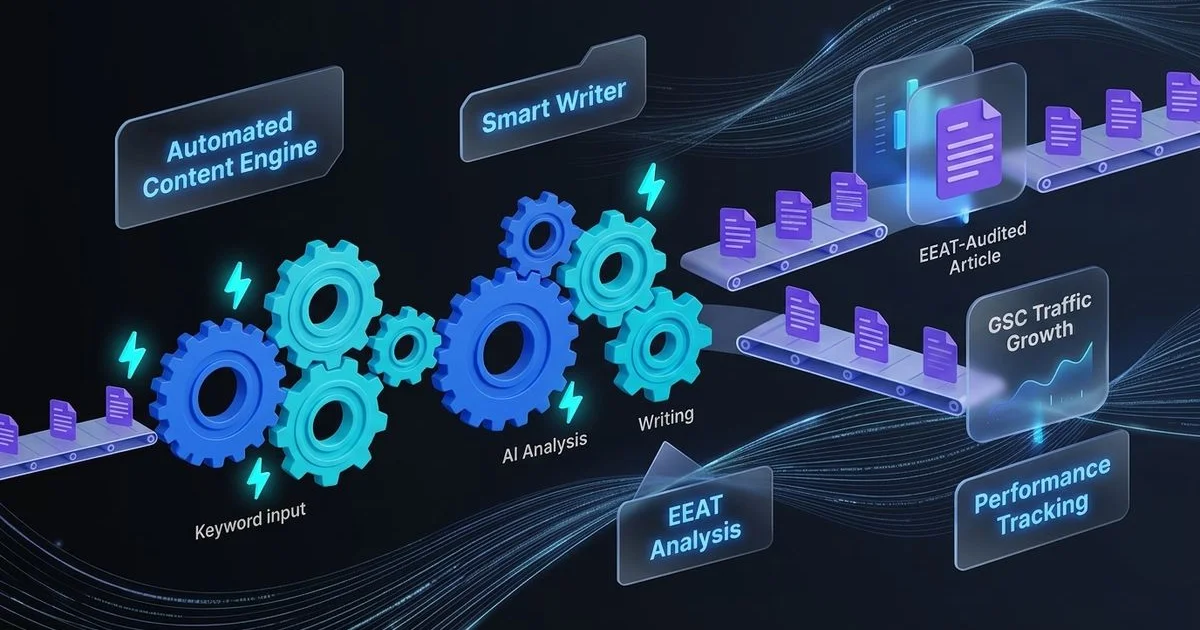
Example pipeline: A new keyword is added to your Airtable content calendar. Zapier triggers Agility Writer to generate an article for that keyword. When the article completes, Zapier creates a WordPress draft post. Simultaneously, it sends a Slack notification to the editorial team. When the WordPress post status changes from draft to published, Zapier generates and schedules social media posts. Finally, it updates the Airtable record with the published URL and date.
This entire pipeline runs without human intervention, though human reviewers are looped in at the draft stage for quality control. The beauty of multi-step Zaps is that each step triggers the next automatically, creating a true content assembly line.
For teams with more complex requirements, the Agility Writer API provides additional flexibility beyond what Zapier’s interface offers.
Tips for Reliable Automated Workflows
Start simple and expand gradually. Build one workflow at a time, test it thoroughly, and then add complexity. Debugging a complex multi-step Zap is much harder than fixing a simple two-step workflow.
Use Zapier’s built-in filters. Not every trigger should result in an action. Use filters to ensure articles meet minimum quality criteria before auto-publishing or to route different content types through different workflows.
Set up error notifications. Configure Zapier to alert you when a workflow fails. Failed Zaps can create gaps in your content pipeline that go unnoticed until someone checks manually.
Monitor your Zapier task usage. Each step in a Zap consumes tasks from your Zapier plan. High-volume content operations can consume tasks quickly, so choose a Zapier plan that matches your expected volume.
Test with real content. Zapier’s testing features allow you to run individual steps, but always test the complete workflow end-to-end with actual content before relying on it for production publishing.
Explore Agility Writer’s full range of integration options and find a plan on our pricing page that supports the automated workflows your content team needs.