For developers and agencies that need more control than pre-built integrations provide, the Agility Writer API opens up the full power of this AI SEO writing tool for custom content automation. Whether you are building a content pipeline that integrates with your proprietary CMS, creating a client-facing portal that generates content on demand, or orchestrating complex multi-step workflows, the API provides the endpoints you need.
This guide covers the API fundamentals, practical code examples, and integration patterns that agencies and developers use to build production-grade content workflows.
API Overview and Authentication
The Agility Writer API is a RESTful interface that supports all core content generation capabilities. Authentication uses API key-based access, where you include your key in the request header for every API call.
To obtain your API key, navigate to your Agility Writer account settings and select the API section. Generate a new key and store it securely. API keys should never be exposed in client-side code or committed to version control repositories.
The base URL for all API requests follows a standard format, and all communication is encrypted via HTTPS. Rate limits apply based on your subscription tier, which we cover in detail later in this guide.
All API responses use JSON format with consistent error handling. Successful responses include a status code of 200 and the requested data. Error responses include descriptive error codes and messages that help diagnose issues quickly.
Available Endpoints
The API provides three primary endpoint categories that cover the content lifecycle.
Generation Endpoints
The generation endpoint accepts a target keyword, writing mode, and optional configuration parameters. It initiates article generation and returns a job identifier that you use to track progress. Configuration options include content length targets, writing style preferences, language selection, and whether to include SERP analysis data.
Status Endpoints
Generation is asynchronous, meaning you submit a request and then poll for completion. The status endpoint accepts a job identifier and returns the current state: queued, processing, or completed. For completed jobs, the response includes the generated article content, metadata, and any optimization data.
Retrieval Endpoints
The retrieval endpoint fetches the full content of a completed article including the body text, heading structure, meta title, meta description, and any images or structured data generated alongside the article. You can retrieve articles in HTML, Markdown, or plain text formats depending on your downstream needs.
For the complete API reference, visit the API documentation.
Example 1: Script to Generate Articles From a CSV
A common use case is generating articles from a planning spreadsheet exported as CSV. The script reads each row, submits a generation request, and tracks completion.
The workflow reads the CSV file containing columns for keyword, writing mode, and any custom instructions. For each row, it sends a POST request to the generation endpoint with the row data mapped to API parameters. It stores the returned job identifier alongside the row data. A polling loop checks the status of all pending jobs at regular intervals. When a job completes, the script retrieves the full article and saves it to a local file or pushes it to your CMS.
Error handling should include retry logic for transient failures, logging for debugging, and a mechanism to resume interrupted batches without re-generating completed articles. Store the job identifiers persistently so that if the script is interrupted, you can resume from where it stopped.
This pattern processes content calendars of any size. A 100-article batch runs overnight and produces ready-to-publish content by morning.
Example 2: Webhook Listener for Auto-Publishing
Instead of polling for completion, you can configure webhooks that notify your system when articles are ready. This event-driven approach is more efficient for production pipelines.
Set up a webhook URL in your Agility Writer account settings. When an article completes generation, Agility Writer sends a POST request to your URL with the job identifier and completion status.
Your webhook listener receives the notification, retrieves the full article content via the retrieval endpoint, applies any post-processing transformations, and publishes to your CMS or content management system. This creates a fully automated pipeline where content flows from generation to publication without manual intervention.
For WordPress-based publishing, combine the webhook approach with the WordPress REST API. Your listener receives the completion notification, fetches the article, formats it for WordPress, and creates a new post via the WordPress API. For direct WordPress integration without custom code, consider the WordPress auto-publishing plugin.
Example 3: Content Pipeline With Quality Checks
Production content pipelines need quality gates that prevent subpar content from reaching publication. The API enables you to build these checks programmatically.
The pipeline follows these steps. Generate the article via the API. Upon completion, retrieve the content and run it through quality assessment. This can include automated readability scoring, keyword density analysis, minimum word count verification, and integration with external content scoring tools. Articles that pass quality checks proceed to the publishing queue. Articles that fail are flagged for human review or regenerated with adjusted parameters.
You can extend this pattern by integrating with the NeuronWriter workflow for semantic scoring, running content through plagiarism detection services, or applying custom business rules specific to your content standards.
The key principle is that the API handles generation while your custom logic handles quality assurance and routing. This separation of concerns makes the pipeline modular and easy to maintain.

Rate Limits and Best Practices
API rate limits vary by subscription tier and are designed to ensure fair usage across all customers. The limits apply to both request frequency and concurrent generation jobs.
Request frequency limits cap the number of API calls per minute. Status polling should use reasonable intervals, typically every 30 to 60 seconds for pending jobs rather than aggressive sub-second polling.
Concurrent generation limits cap how many articles can be generating simultaneously. For bulk operations, implement a queue system that manages concurrent jobs within your limit and starts new jobs as existing ones complete.
Best practices for API usage include implementing exponential backoff for retried requests, caching status responses to avoid unnecessary polling, batching retrieval requests when multiple articles complete around the same time, and logging all API interactions for debugging and audit purposes.
Error Handling and Retry Strategies
Robust error handling is essential for production API integrations. The API returns standard HTTP status codes: 200 for success, 400 for bad requests, 401 for authentication failures, 429 for rate limit exceeded, and 500 for server errors.
For transient errors like 429 rate limits and 500 server errors, implement retry logic with exponential backoff. Start with a one-second delay, doubling with each retry up to a maximum of five retries. This handles temporary issues without overwhelming the API.
For permanent errors like 400 bad requests, log the error details and flag the request for review. These typically indicate a problem with the request parameters that needs manual correction.
For authentication errors (401), verify your API key is valid and has not been rotated. Implement key rotation support in your integration so that updated keys can be deployed without code changes.
Agency Use Case: Multi-Client Content Pipeline
Agencies managing content for multiple clients can build a centralized pipeline that serves all clients through a single API integration.
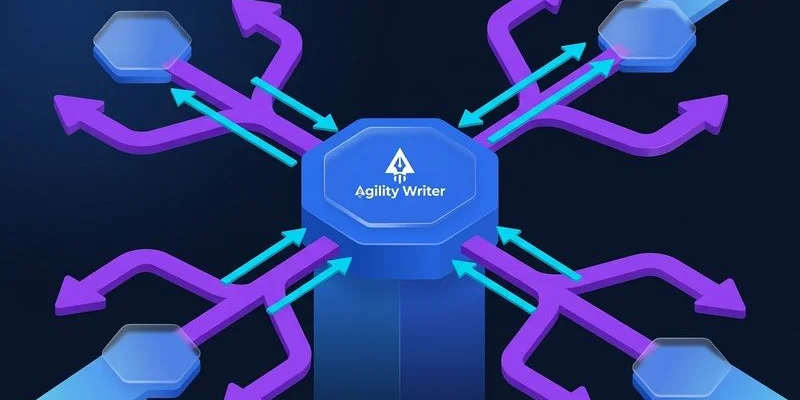
The architecture uses a shared API connection with client-specific configuration profiles. Each client profile includes their target keywords, preferred writing modes, quality thresholds, and publishing destinations. The pipeline processes all clients through the same generation and quality checking infrastructure while routing finished content to client-specific outputs.
This approach provides several advantages. Maintenance is centralized in one codebase. New clients are onboarded by creating a configuration profile rather than building new infrastructure. Quality standards are enforced consistently across all clients. Resource utilization is optimized by sharing generation capacity.
For agencies exploring this approach, Agility Writer’s content planning framework provides strategic context for managing multi-client content operations. Visit the pricing page to find the plan tier that supports your agency’s API usage needs.
For simpler automation needs that do not require custom code, the Zapier integration provides no-code workflow automation that connects Agility Writer to thousands of applications.