
What Is a Topical Map?
A topical map is a structured plan of all the content your website needs to cover a subject comprehensively. It organizes keywords and topics into a hierarchy: broad pillar topics at the top, specific cluster topics beneath them, and supporting content that addresses niche questions and long-tail variations. The goal is to create a content architecture that signals to search engines you are an authority on the entire subject, not just individual keywords.
Google's algorithms evaluate topical authority by analyzing how thoroughly a website covers a subject. A site with one article about "email marketing" ranks lower than a site with forty interconnected articles covering email strategy, automation, segmentation, deliverability, analytics, A/B testing, and every other facet of the topic. The topical map ensures you cover all those facets systematically rather than publishing random articles and hoping they build authority over time.
Why Topical Maps Matter for SEO
Without a topical map, content teams tend to chase individual keywords based on search volume, creating a disconnected collection of articles that competes with itself for rankings. This leads to keyword cannibalization, content gaps, and wasted effort on topics that do not support each other. A topical map eliminates these problems by planning the entire content ecosystem before you write a single word.
Sites that build content around topical maps consistently outrank larger competitors. The reason is simple: Google can clearly identify the site's expertise. Every article reinforces the authority of every other article through internal links, shared entities, and comprehensive coverage. This compounding effect means a well-mapped site with fifty articles often outranks a site with five hundred disconnected posts.
Step 1: Identify Your Seed Topics
Start with three to five broad topics that define your niche. These become your pillar topics. For example, if you sell project management software, your seed topics might be: project management methodologies, team collaboration, resource planning, project tracking, and stakeholder communication. Each of these is broad enough to support dozens of subtopics.
Use your existing keyword research, competitor analysis, and customer questions to validate your seeds. Every seed topic should represent a category where you want to be recognized as an authority. If you are unsure whether a topic qualifies, ask: "Could I write twenty or more articles about this and still have ground to cover?" If yes, it is a valid pillar topic.
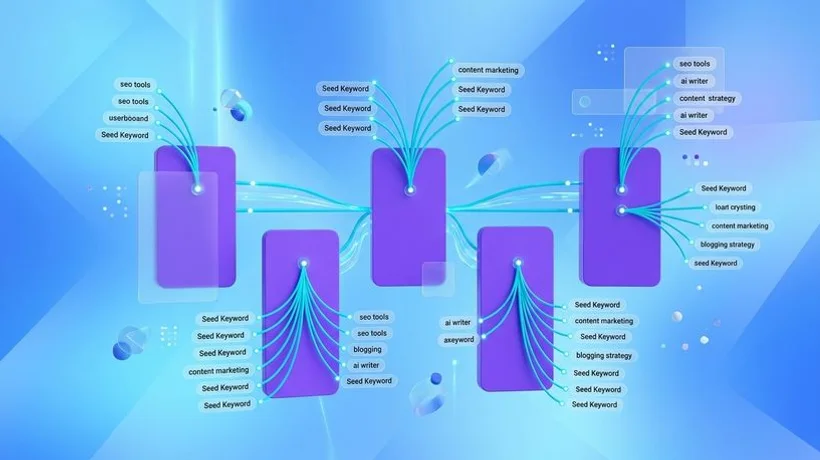
Step 2: Expand Into Subtopics and Clusters
For each pillar topic, brainstorm every subtopic a reader might search for. Use keyword research tools, Google's "People Also Ask" section, Reddit threads, Quora questions, and competitor site maps to build a comprehensive list. Do not filter for search volume at this stage. Your goal is completeness.
Group related subtopics into clusters. Each cluster shares a common parent concept and should link to the same pillar page. For the "project management methodologies" pillar, clusters might include: Agile methodology, Waterfall methodology, Scrum framework, Kanban systems, Lean project management, and hybrid approaches. Each cluster then contains individual articles on specific aspects: "Sprint planning best practices," "Kanban board templates," "Scrum vs. Kanban comparison."
Step 3: Define Content Hierarchy
Your topical map should have three levels of content. Pillar pages are comprehensive, authoritative guides covering the entire breadth of a topic in 3,000 to 5,000 words. They link to every cluster article beneath them. Cluster articles are focused, in-depth pieces on specific subtopics, typically 1,500 to 2,500 words. They link back to their pillar page and to related cluster articles. Supporting content addresses highly specific questions and long-tail keywords in 800 to 1,500 words, linking to relevant cluster articles.
This hierarchy creates a clear information architecture that both users and search engines can navigate. A visitor searching for "Agile project management" lands on your pillar page, then clicks through to specific articles on sprint planning, retrospectives, or user stories. Google crawls the same structure and understands that your site covers Agile comprehensively.
Step 4: Plan Internal Linking
Internal linking is what transforms a collection of articles into a topical authority engine. Every cluster article links to its pillar page using the pillar's target keyword as anchor text. Cluster articles within the same group link to each other when relevant. Pillar pages link down to every cluster article with descriptive anchor text. This bidirectional linking creates a web of topical signals that Google uses to evaluate your site's depth.
Plan your internal links before writing, not after. Include specific linking instructions in each article's brief: "Link to Pillar: Project Management Methodologies. Link to Related: Scrum vs. Kanban, Sprint Planning Guide." This ensures consistent implementation across your entire content team.
Using Agility Writer's Topical Map Helper
Building a topical map manually for a competitive niche can take days or weeks of keyword research and organization. Agility Writer's Topical Map Helper automates this process. Enter your seed topic, and the system generates a complete hierarchical map with pillar pages, cluster articles, and supporting content, all organized by search intent and keyword difficulty.
The Topical Map Helper analyzes current SERP data to identify content gaps your competitors have missed, high-opportunity keywords with achievable difficulty scores, and the optimal content structure for each article type. You can customize the output, adding or removing topics based on your specific business focus, then generate articles directly from the map using 1-Click or Bulk Mode.
This end-to-end workflow, from topical map to published content, is what makes Agility Writer uniquely powerful for building topical authority at scale. Instead of spending weeks planning and months executing, you can map and generate an entire topic cluster in a single day.