
The Challenge of Building Website Content from Scratch
Launching a new website typically requires thirty to sixty pages of original content. You need a compelling homepage, an about page that builds trust, detailed service or product pages, a blog with at least ten to twenty articles for initial topical coverage, and landing pages for your primary conversion goals. Traditionally, this represents months of work for a content team or thousands of dollars in freelancer costs.
AI changes this equation dramatically. With the right planning approach and tools like Agility Writer, you can go from zero to a fully content-populated website in one to two weeks. The key is systematic planning: define your content architecture before you generate a single word, then use AI to execute the plan at scale.
Phase 1: Define Your Site Architecture
Before writing any content, map out every page your website needs. Start with your core pages: homepage, about, contact, and any legal pages (privacy policy, terms of service). These are your foundation and every website needs them regardless of industry.
Next, list your service or product pages. Each primary offering should have its own dedicated page optimized for its target keyword. If you sell five services, that is five pages. If you have product categories, each category and flagship product gets a page. Be specific: "HVAC Installation" is a better page than "Our Services" because it targets a specific search intent.
Then plan your blog architecture using a topical map approach. Identify three to five pillar topics related to your business and plan five to ten cluster articles under each. This gives you fifteen to fifty blog articles that build topical authority from day one. Use Agility Writer's Topical Map Helper to generate this structure automatically.
Finally, identify your conversion pages: landing pages for specific offers, lead magnets, or campaigns. These pages often target transactional keywords and should be planned separately from your informational content.
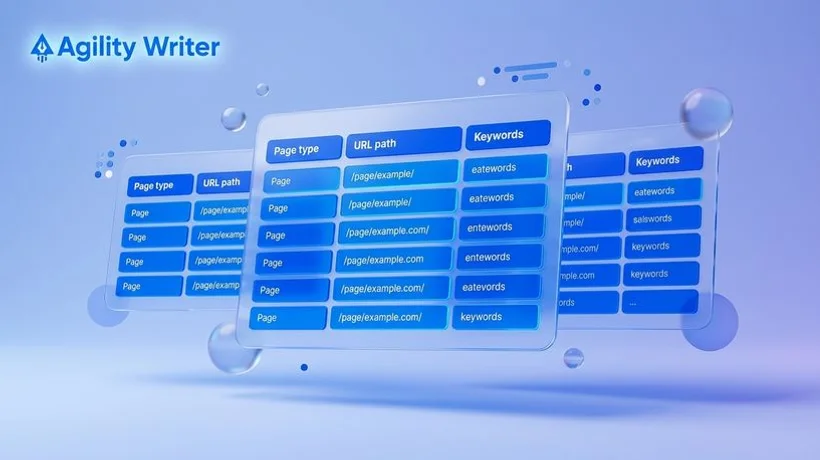
Phase 2: Create Content Briefs
Every page needs a brief that specifies: target keyword, search intent, page title, meta description, heading structure, key points to cover, internal links to include, and desired call to action. For core pages like your homepage and about page, these briefs require more custom input because they communicate your unique brand story.
For service pages and blog articles, briefs can be more formulaic. The target keyword drives the content direction, and SERP analysis fills in the structural details. This is where AI tools save the most time. Agility Writer generates content briefs automatically when you enter a keyword, analyzing what top-ranking pages cover and structuring your article to compete.
Organize your briefs in a spreadsheet or project management tool. Group them by page type and assign priority levels. Core pages and high-volume service pages should be produced first because they form the backbone of your site's internal linking structure.
Phase 3: Generate Core Pages
Start with your homepage and about page, as these require the most brand-specific content. Use Agility Writer's Advanced Mode where you control the outline and inject your unique value propositions, brand story, and customer testimonials. AI generates the surrounding content while you maintain control over the messaging that differentiates your business.
For service and product pages, 1-Click Mode works well. Enter each service keyword, and Agility Writer generates a complete, SEO-optimized page covering benefits, process, pricing context, and FAQs. Review each page to add specific details about your offering: pricing, service areas, unique processes, and real customer outcomes.
Generate all service pages in a single batch using Bulk Mode. Upload your list of service keywords, configure the output settings, and let the system produce all pages in one run. This batch approach ensures consistent quality and formatting across your entire service section.
Phase 4: Build Your Blog Foundation
With core pages in place, generate your initial blog content. Using the topical map from Phase 1, queue all blog articles in Agility Writer's Bulk Mode. Prioritize pillar articles first because cluster articles will link to them. Generate pillar articles, publish them, then generate and publish cluster articles with internal links pointing back to their pillar.
For a typical website launch, aim for fifteen to twenty-five blog articles. This provides enough content for Google to recognize your site's topical focus and start indexing your pages for relevant queries. You can continue adding articles post-launch, but having a substantial initial library dramatically accelerates your SEO trajectory compared to launching with an empty blog.
Each blog article should include two to three internal links to relevant service pages or other blog posts. Plan these links in your content briefs so they are included during generation rather than added retroactively. Consistent internal linking from launch day gives search engines a clear picture of your site's topical structure.
Phase 5: Review, Refine, and Launch
After generating all content, dedicate two to three days to review. Read every page, checking for factual accuracy, brand voice consistency, and natural flow. Add personal touches that AI cannot provide: real customer stories, specific pricing details, local references, and expert opinions that establish your credibility.
Verify all internal links work correctly and point to the right pages. Check meta titles and descriptions for uniqueness and keyword inclusion. Ensure images have descriptive alt text and pages load quickly. Run a final SEO audit using your preferred tool to catch any technical issues before launch.
Publish everything at once for maximum indexing impact. Submit your sitemap to Google Search Console immediately after launch. Within one to two weeks, Google will begin crawling and indexing your pages, and you will start seeing impressions for your target keywords. The topical authority built through your systematic content approach will accelerate this process significantly compared to a site launched with minimal content.