Turn Google Search Console Data Into Content Actions
Find missing keywords and map internal links from high-authority pages using GSC data.
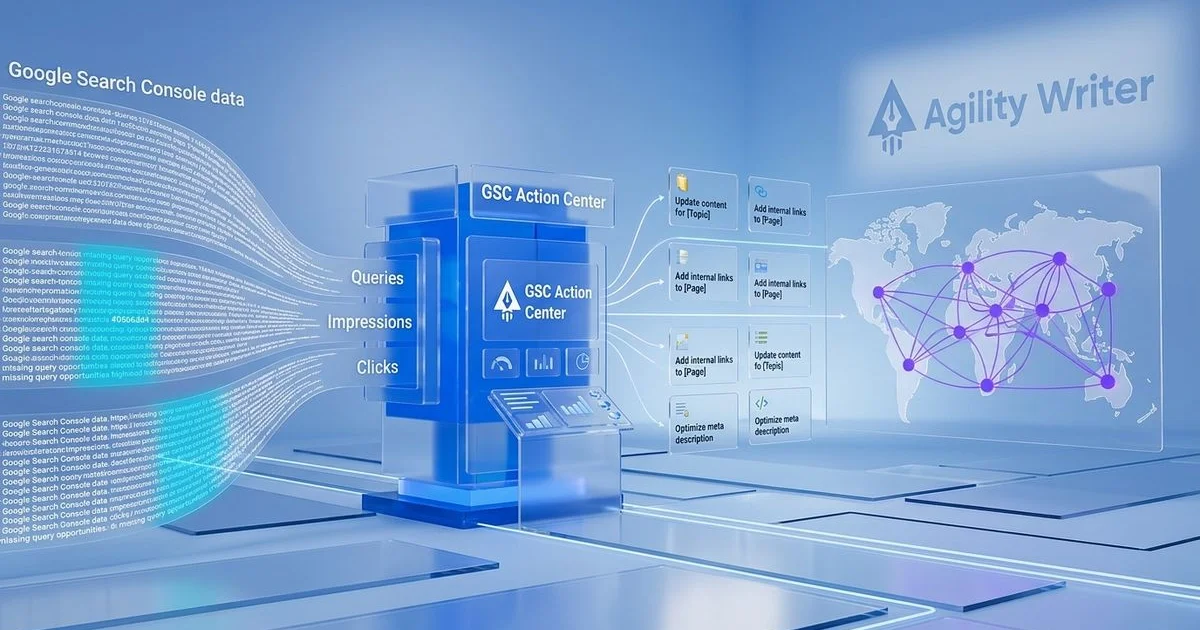
What GSC Center Includes
Turn Search Console Data Into Content Actions
Google Search Console holds a wealth of performance data about your site, but translating raw impressions, clicks, and query data into specific content actions is where most SEO workflows break down. The GSC Action Center, built into Agility Writer’s AI SEO writer, bridges that gap by connecting directly to your Search Console data and surfacing actionable opportunities you can act on immediately.

Missing Queries Helper
The Missing Queries Helper is the core feature of the GSC Action Center. It analyzes the search queries driving impressions and clicks to your pages and compares them against the actual content on those pages. When Google shows your page for a query that your content does not explicitly mention, that represents a missed opportunity.
These missing queries are keywords Google already associates with your page but that your content does not directly address. By incorporating these terms into your content, you strengthen the relevance signal for queries you are already partially ranking for. This is one of the highest-ROI content optimization activities because you are improving content that Google already considers relevant.
The tool surfaces missing queries sorted by impression volume, so you focus on the keywords with the greatest traffic potential first. Each suggestion includes the current ranking position, impressions, clicks, and click-through rate, giving you full context on the opportunity size.
PowerLinker: Authority-Based Internal Linking
PowerLinker analyzes your Search Console data to identify your highest-authority pages (those with the most impressions, clicks, and strongest ranking positions) and maps internal linking opportunities from these strong pages to weaker ones that need a ranking boost.
Internal links from high-authority pages pass more link equity than links from low-performing pages. PowerLinker identifies these authority imbalances and suggests specific anchor text and link placements that maximize the value of your internal linking structure.

Data-Driven Content Gap Identification
Beyond individual query-level optimization, the GSC Action Center identifies broader content gaps across your site. By analyzing query patterns in aggregate, it reveals topic areas where your site generates impressions but lacks dedicated content.
For example, if multiple pages on your site receive impressions for queries related to a subtopic you have not written about directly, the tool flags this as a content gap worth filling. These insights feed directly into the Topical Map Helper, creating a feedback loop between your published content performance and your content planning strategy.
Search Performance Analysis
The GSC Action Center provides a streamlined view of your search performance metrics focused on actionable insights rather than raw data. Instead of scrolling through pages of queries in Google Search Console, you see a prioritized list of actions ranked by potential impact.
Key metrics analyzed include:
- Impression-to-click ratios that reveal titles and descriptions needing optimization
- Position distribution showing which content is on the verge of page one
- Query coverage measuring how well your content addresses the queries it ranks for
- Trend analysis identifying content that is gaining or losing visibility
How to Use the GSC Action Center
- Connect your Search Console account through a secure OAuth integration
- Select the property you want to analyze from your connected accounts
- Review missing queries sorted by opportunity size and prioritize content updates
- Map internal links using PowerLinker to distribute authority from your strongest pages
- Export action items to your content workflow or send directly to the Smart Editor for implementation
Combining GSC Data With Content Optimization
The real power of the GSC Action Center emerges when combined with other Agility Writer tools. Run missing query analysis to find optimization opportunities, then use the Smart Editor to implement changes. Follow up with G-Smart Optimizer to verify the quality of your updates. This creates a systematic content improvement cycle driven by actual search performance data rather than assumptions.
For sites with hundreds or thousands of pages, this data-driven approach ensures optimization efforts focus on the content with the highest potential for ranking improvements, rather than optimizing pages at random.
Connect your Search Console data and start turning performance data into ranking improvements with the GSC Action Center.
Try GSC Center With a $1 Trial
Get 5 credits to test every feature. No commitment required - credits roll over if you subscribe.
Questions About GSC Center
Explore More AI Writing Tools
Topical Map Helper
Plan your content strategy with AI-powered topical maps that combine semantic SEO and keyword research.
G-Smart Optimizer
Audit your content against Google's Helpful Content Guidelines and get actionable fix suggestions.
Smart Editor
Polish AI-generated content with AI-powered suggestions for tone, readability, and SEO.
Start Using GSC Center Today
Join 5,000+ SEO professionals. Start your $1 trial with 5 credits.
Try Us at $1