
What Is Agility Writer?
Agility Writer is an AI-powered SEO content writing platform designed for professionals who need to produce high-ranking articles at scale. Unlike general-purpose AI writers that generate generic content from a prompt, Agility Writer is built around a core principle: every article should be informed by what is actually ranking on Google right now.
When you enter a keyword, Agility Writer does not just write about that topic from its training data. It performs a live analysis of the top-ranking search results, identifies the headings competitors use, the entities Google expects to see, the questions readers want answered, and the content depth that earns page-one placement. Your article is then generated to match or exceed all of these competitive signals.
The result is content that is optimized from the moment it is created, not content that needs extensive manual optimization after the fact. This approach saves hours per article and produces consistently better ranking results than tools that generate content without search data context.
Core Features
1-Click Mode
The fastest way to generate an article. Enter your target keyword, click generate, and receive a complete, SEO-optimized article in two to three minutes. The system handles SERP analysis, outline creation, content generation, and on-page optimization automatically. 1-Click Mode is ideal for individual articles where you trust the AI to make all structural decisions.
Each article generated in 1-Click Mode includes a complete heading structure, entity coverage based on top-ranking pages, natural keyword integration, meta title and description suggestions, and properly formatted HTML ready for publishing.
Advanced Mode
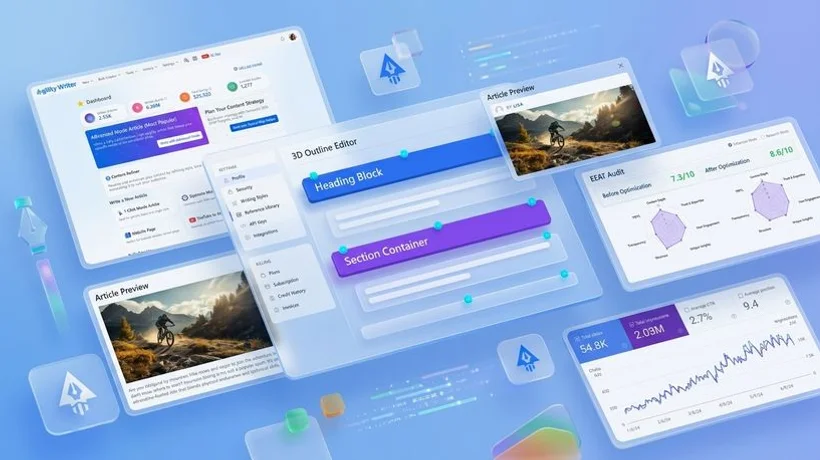
For articles where you want control over the content structure, Advanced Mode lets you customize the outline before generation. After SERP analysis, Agility Writer presents a suggested outline that you can modify: add sections, remove irrelevant headings, reorder topics, and specify the depth of coverage for each section. Once you approve the outline, the AI generates content following your exact structure.
Advanced Mode is the best choice for pillar articles, content on topics you know well, and articles where specific subtopics must be covered in a particular order. The combination of AI speed with human editorial control produces the highest quality output.
Bulk Mode
When you need to generate large volumes of content, Bulk Mode processes up to 200 keywords in a single batch. Upload your keyword list, configure your preferred settings (article length, tone, language), and start the batch. All articles are generated with individual SERP analysis, so quality is not sacrificed for volume.
Bulk Mode is used by agencies managing multiple client content calendars, niche site builders launching new properties, and enterprise teams executing topical authority strategies across hundreds of keywords.
G-Smart Optimizer
After generating an article, run it through the G-Smart Optimizer for a quality assessment aligned with Google's content guidelines. The optimizer evaluates entity coverage, content completeness, heading structure, and semantic relevance, providing a score and specific improvement recommendations. This second layer of validation ensures your content meets the quality bar Google expects for high-ranking pages.
Topical Map Helper
Building topical authority requires a comprehensive content plan. The Topical Map Helper generates a complete content map for any niche: enter your seed topic and receive a structured hierarchy of pillar pages, cluster articles, and supporting content, all organized by search intent and keyword difficulty. Use this map as your content roadmap and generate articles directly from it.
GSC Integration
Connect your Google Search Console account to identify existing content that is underperforming. The GSC integration surfaces articles ranking on page two or three that need optimization to break through to page one. Feed these keywords back through the content generator or use the optimizer to identify specific improvements needed.
How to Generate Your First Article
After signing up, you will land on the Agility Writer dashboard. Here is the step-by-step process for your first article:
- Click "New Article" in the top navigation or dashboard.
- Enter your target keyword. This is the search term you want to rank for. Be specific: "best email marketing tools for small business" is better than "email marketing."
- Select your generation mode. For your first article, we recommend 1-Click Mode to see the full automated workflow. You can experiment with Advanced Mode later.
- Configure optional settings: Choose your preferred article length (1,500 to 6,000+ words), content tone (professional, conversational, or neutral), and target language.
- Click "Generate." Agility Writer will analyze the current SERP for your keyword, create an outline based on competitive data, and generate the full article. This takes two to three minutes.
- Review the article in the built-in editor. Make any edits for accuracy, brand voice, or additional personal expertise you want to include.
- Publish directly to WordPress, copy the HTML for your CMS, or export as Markdown.
Understanding Credits
Agility Writer uses a per-article credit system. Each article generation costs one credit. Your $1 trial includes five credits, enough to generate five full articles and evaluate the platform thoroughly. Credits do not expire, so you can use them at your own pace.
After the trial, purchase additional credits in bundles or subscribe to a plan for regular content production. All credits work the same regardless of article length, language, or generation mode. A 1,500-word article costs the same as a 6,000-word article: one credit.
Next Steps
After generating your first article, explore these resources to get the most from Agility Writer:
- The Complete Guide to AI SEO Content Writing for strategies that maximize ranking impact.
- How to Create an SEO Topical Map to plan your content strategy.
- WordPress Integration to set up direct publishing.
- Plan & Build Entire Website Content for complete site content strategies.