Connected Apps
Code Required
Automated Workflows
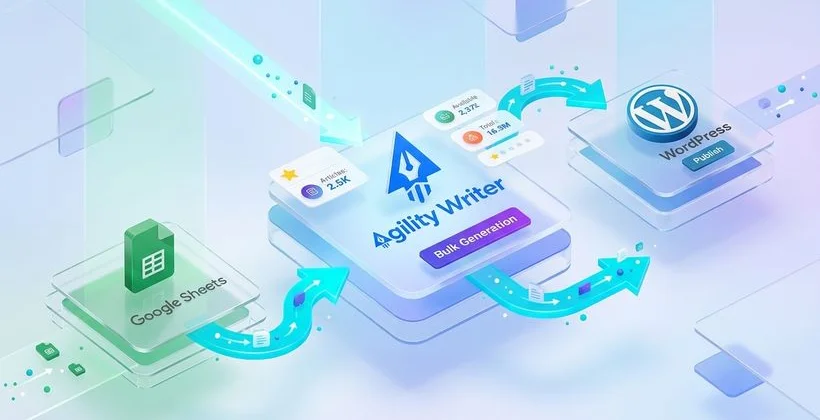
How Zapier Works with Agility Writer
Zapier connects Agility Writer to over 5,000 applications through automated workflows called Zaps. Each Zap consists of a trigger (an event that starts the workflow) and one or more actions (tasks that execute in response). When the trigger fires, Zapier automatically runs the connected actions without any manual intervention.
With the Agility Writer Zapier integration, you can trigger article generation from external events and route completed articles to any destination. For example, when a new row is added to a Google Sheet containing a target keyword, Zapier can automatically tell Agility Writer to generate an article for that keyword, then publish the result to WordPress and notify your team in Slack. The entire process happens without you touching a single button.
This no-code automation is ideal for content managers, marketers, and small teams who want to scale content production without building custom software or hiring developers. If you can describe your workflow in plain language, you can build it in Zapier.
Popular Zap Workflows
Here are the most popular workflows Agility Writer users build with Zapier:
Google Sheets to Article Generation
Maintain a Google Sheet of target keywords with columns for keyword, desired length, and priority. When a new row is added or a priority column is updated, Zapier triggers Agility Writer to generate the article. The completed article link is written back to the sheet for easy tracking. This workflow turns your keyword research spreadsheet into an automated content production queue.
Form Submission to Content Creation
Create a Typeform, Google Form, or Jotform where clients or team members submit content requests: topic, target keyword, preferred angle, and deadline. Zapier picks up each submission and creates an article generation job in Agility Writer. When the article is ready, the requester receives an email with the content link. This is particularly useful for agencies that take content requests from multiple clients.
Content Generation to CMS Publishing
When an article is generated in Agility Writer, Zapier can automatically publish it to WordPress, Webflow, Ghost, or any CMS with Zapier support. Configure the Zap to set the post status to "draft" for human review, or publish directly for high-confidence content. Add a step to assign categories, tags, and author based on the article's topic.
Notification and Tracking Workflows
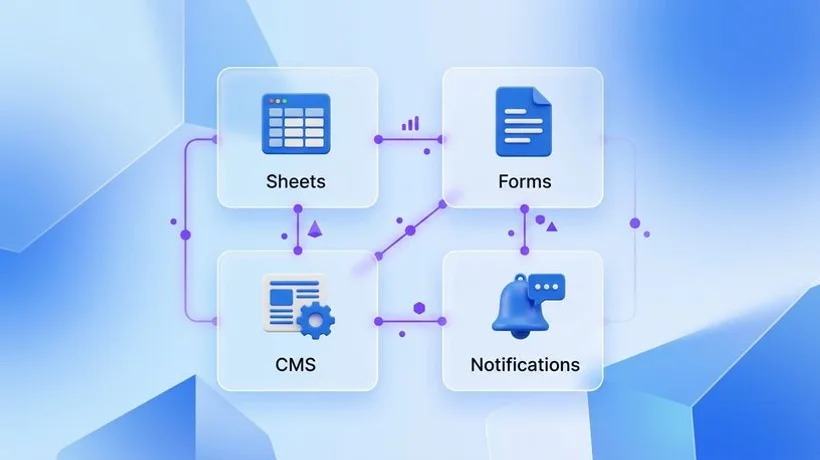
Keep your team informed without manual updates. When an article generation completes, Zapier can send a Slack notification with the title and link, add a row to a Google Sheet tracking all generated content, create a Trello card in your editorial board for review, or update a Monday.com task as "content ready." These notification Zaps ensure nothing falls through the cracks in high-volume workflows.
Setting Up Your First Zap
Getting started with the Zapier integration takes about ten minutes:
- Connect your Agility Writer account: In Zapier, search for "Agility Writer" in the app directory. Click "Connect" and enter your API key (found in Settings, then API Keys in your Agility Writer dashboard).
- Choose a trigger: Select the event that starts your workflow. This could be a new row in Google Sheets, a form submission, a scheduled time, or any trigger from a connected app.
- Configure the Agility Writer action: Choose "Generate Article" as the action. Map the keyword from your trigger data to the article generation input. Configure optional settings like article length and generation mode.
- Add downstream actions: Optionally add steps to publish the article, send notifications, or update tracking systems when generation completes.
- Test and activate: Run a test to verify the workflow works end-to-end, then turn on your Zap. It will run automatically from now on.
Multi-Step Workflows for Teams
Zapier supports multi-step Zaps that chain several actions together. A complete team workflow might look like this: keyword added to Airtable triggers article generation, completed article is published to WordPress as a draft, a Slack message notifies the content manager, a Trello card is created in the "Review" column, and when the Trello card moves to "Approved," another Zap changes the WordPress post status to published.
This multi-step approach creates a fully automated editorial pipeline with human checkpoints at exactly the right moments. The AI handles the heavy lifting of content generation, while your team maintains quality control through structured review processes.
Tips for Effective Zapier Automation
- Start simple: Build a single-trigger, single-action Zap first. Once it works reliably, add complexity.
- Use filters: Zapier's filter steps prevent unnecessary actions. Only generate articles when a "status" column says "approved" or a priority field meets your threshold.
- Add delays: Use Zapier's delay step to space out article generation, preventing credit overuse during large batch triggers.
- Monitor usage: Check your Zapier task history weekly to ensure Zaps are running correctly and not consuming more credits than expected.
- Test thoroughly: Always test with real data before activating automated publishing Zaps to avoid pushing unreviewed content live.